
Your private AI workspace for notes, tasks and ideas.
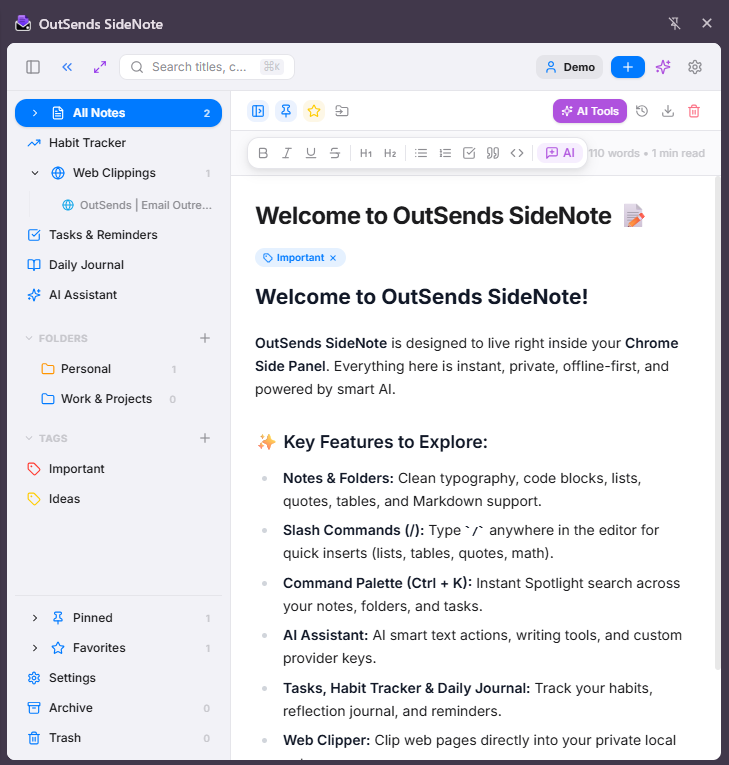
SideNote is a local-first productivity workspace built directly inside Chrome's Side Panel. Write notes, manage tasks, keep a journal, track habits, clip web content, and chat with AI — all without leaving your browser.
Markdown Notes
Write and organize notes with full Markdown support. Code blocks, tables, checklists, images — everything renders beautifully.
AI Assistant
Chat with AI directly inside your workspace. Summarize, rewrite, brainstorm, or generate content without switching tabs.
Tasks
Create tasks with due dates, priorities, and subtasks. Organize with folders and tags for a clean workflow.
Journal
Daily journaling with a clean, distraction-free interface. Search, browse by date, and never lose a thought.
Habit Tracker
Build and track habits with streaks and visual progress. Simple, motivating, and always in reach.
Web Clipper
Clip articles, quotes, and pages directly into your workspace. Save what matters while you browse.
Offline First
Everything works without internet. Your data lives on your computer — always available, always fast.
See every tool inside SideNote.
Click a feature to preview it. One sticky screenshot shows the relevant part of the app, so you can scan the workspace without watching a long demo.
Built different, by design.
Privacy by default.
Everything stays locally on your computer. No cloud dependency. Your notes, tasks, journal entries, and habits belong to you and only you.

See SideNote in action.
Watch how SideNote works inside Chrome's Side Panel — notes, tasks, journal, habits, web clipper, and AI assistant, all in one place.
Simple, transparent pricing.
Start free. Upgrade to Pro when you need the full workspace.
- Markdown Notes — Unlimited
- Folders & Tags
- Local Storage
- Backup & Restore
- PIN Lock
- Everything in Free
- AI Assistant
- Tasks & To-Do
- Daily Journal
- Habit Tracker
- Web Clipper
- All Future Pro Features
- Priority Support
- Everything in Monthly
- AI Assistant
- Tasks & To-Do
- Daily Journal
- Habit Tracker
- Web Clipper
- All Future Pro Features
- Priority Support
- Everything in Yearly
- AI Assistant
- Tasks & To-Do
- Daily Journal
- Habit Tracker
- Web Clipper
- All Future Pro Features
- Priority Support
No credit card required.
| Feature | Free | Pro |
|---|---|---|
| Markdown Notes | Unlimited | Unlimited |
| Folders & Tags | ✓ | ✓ |
| Local Storage | ✓ | ✓ |
| Backup & Restore | ✓ | ✓ |
| PIN Lock | ✓ | ✓ |
| AI Assistant | — | ✓ |
| Tasks & To-Do | — | ✓ |
| Daily Journal | — | ✓ |
| Habit Tracker | — | ✓ |
| Web Clipper | — | ✓ |
| All Future Pro Features | — | ✓ |
| Priority Support | — | ✓ |
All prices in USD. Cancel anytime. Your data always stays on your computer regardless of plan.
Questions you might have.
Start organizing your ideas today.
Create your free account and get started. Your private workspace, right inside Chrome.